
How To …
Access Outlook Calendars

Conference Call Line and W. Alabama Training Center
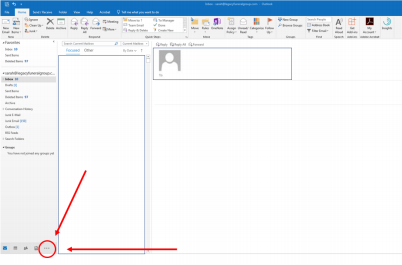
Step 1: Open Microsoft Outlook and click the ellipses at the bottom left of your window. (Notated in the example below by the red circle and arrow)
 Step 2: The pop up menu below will then appear. Select Folders as shown below.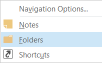
Step 3: Scroll down and click on Public Folders in the window on the left.
A drop down will appear. Click All Public Folders.
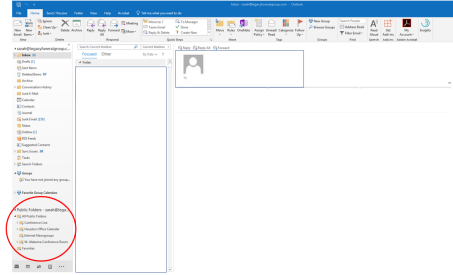
Step 4: When you click to open the folder the Calendar will show up:
Example below is for the Conference Line Calendar
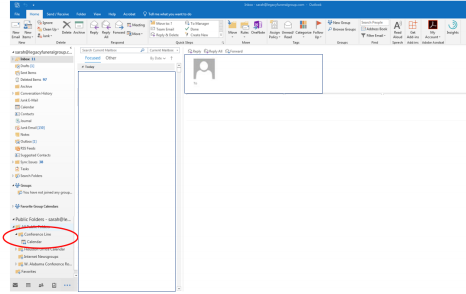
Step 5: Double Click Meeting Calendar and it will open the shared calendar.

Comments
0 comments
Please sign in to leave a comment.