

How to bookmark/favorite a website in Google Chrome:
1. Navigate to the website you want to save to your favorites
2. At the top right of your screen, click the star and it will turn blue

3. If necessary, change the name and location you want to save the shortcut to and then click “Done”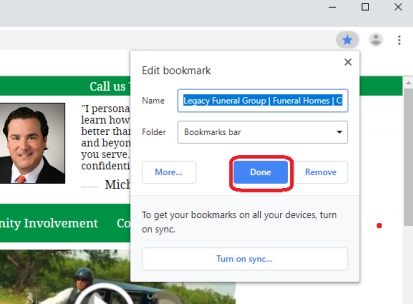

How to bookmark/favorite a website in Google Chrome continued…
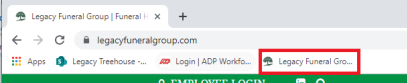
4. You should now see your bookmark on the bookmarks bar or the folder you saved it to:
Comments
0 comments
Please sign in to leave a comment.